Okay, going to leave a long one here to try and explain my problems, sent this via email to one of the tuners at DS but no reply (probably off for the holidays).
Bought this from Ragetek, took them two weeks to send it (??), got it Xmas eve. Letxen3 suggested I come here to try to resolve.
Was very careful to remove all power draws to the point of removing the fuses for my amp and stereo (both after-market).
Read the instructions and went to the car. Plugged in to the OBDii port, it powered up and said that my vehicle needed to be updated. So I searched your forums for what that meant and found that I needed to download the DSDownloader program and the latest CROM, 9r13. Did that, along with getting all the documentation. Read through everything. Followed all the steps. Plugged into USB, powered the Pred, came up fine, found it on com5 at 115200 baud.
Read through, instructions are not real clear on what all has to be done, but figured out how to load the CROM file to the pred, did that fine, then did the calibration update, also went fine. Ready to go!
Back to the car, plugged into the OBDii port, pred powered up, said turn on the key, but not start, did that. Selected Performance Tune, it said loading or similar, said turn off/on key, did that, it counted to three and then failed. Took me back to the turn off/on key screen, tried again, again the calibration update failed. Attempted several times, same results. Went back to the forums, talked with several people, all say I've followed the instructions to a tee, and no one has had this problem. Literally, within 3 seconds of the off/on key step, it fails and stays in a continuous loop of going back to that step and trying again and it fails immediately. Never even gets to download the factory tune. The whole process is about 5 minutes from plugging in to failure, if that long.
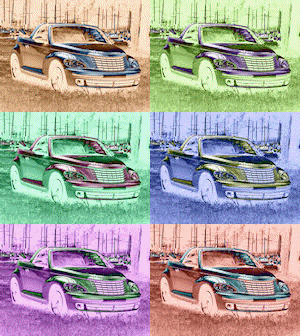
I've got a 2006 PT Cruiser GT convertible with a manual 5-speed Getrag tranny. Only custom items on the engine are hard pipes to the turbo and cleaned up the obstructions from the airway on the intake side. Nothing else. Added custom horns and custom stereo and custom amp, but had all those disconnected, not even an interior light on. For the duration of the second step, while it's counting to three before it fails, I noticed on my dash that it says "no bus" where my odometer is. After trying for hours and finally having to escape out, it seems that it's done no harm to my engine/PCM.
However, I bought this for the performance tune and obviously it's not working. Got any suggestions? Everyone on the PTCrew forums says it should work.
So, hopefully you can help me out here. We've re-downloaded the CROM file, redid the calibration update, made sure we did those in the proper sequence, verified all the steps in both the handbook and the user's manual. I even had a neighbor come over and go over it with me to see if I was doing anything wrong. He followed the same exact steps and had the same results. I can't for the life of me figure out if I'm doing anything wrong, so I'm hoping you might have some suggestions. We went through the diagnostics and the OBD port tested fine. Can't think of anything else.
Now I noticed, when trying to register my pred, that the internally listed serial number and the one on the back are not the same. If I try to register the internal s/n, it's already registered to another. If I use the one on the sticker on the back, it registers fine.
Predator u7134
Serial d006910 (internal), 235487 (sticker)
Version v.9r13
Hardware UNIV_REV2
We've tried three other CROMs, but since this isn't even downloading the factory tune I doubt it's a CROM problem. I'm at a total loss, and so far this is a very expensive door stop. I'm totally frustrated. Please advise!!!!
Chromenut, aka RobinH
PS I'm going to video the whole process and dump it to my youtube page, that way you can watch what I'm doing!
Problems with Pred u7134 and '06 PT GT
Moderator: mikel

RE: Problems with Pred u7134 and
Go to options>troublshooting>show calid and tell me what it says...
Insert Clever comment here...

Please do not PM me as I rarely see the notifications.
Please do not PM me as I rarely see the notifications.
RE: Problems with Pred u7134 and
brb with that
CalID = 05094447AH
Youtube videos:
1 of 3 - Update CROM
http://www.youtube.com/watch?v=DKFXUM1QPq0
2 of 3 - Update Calibration
http://www.youtube.com/watch?v=9O5aOeG5Trk
3 of 3 - Failure to update vehicle
http://www.youtube.com/watch?v=cXa7p2REUZw
pardon the video quality, it was too sunny out
CalID = 05094447AH
Youtube videos:
1 of 3 - Update CROM
http://www.youtube.com/watch?v=DKFXUM1QPq0
2 of 3 - Update Calibration
http://www.youtube.com/watch?v=9O5aOeG5Trk
3 of 3 - Failure to update vehicle
http://www.youtube.com/watch?v=cXa7p2REUZw
pardon the video quality, it was too sunny out
RE: Problems with Pred u7134 and
Try starting with the key on. then plugging in the predator and going through the sequence... I've found that to work the best. Might be timing out somewhere.
Insert Clever comment here...
Please do not PM me as I rarely see the notifications.
Please do not PM me as I rarely see the notifications.
RE: Problems with Pred u7134 and
Yes.
Insert Clever comment here...
Please do not PM me as I rarely see the notifications.
Please do not PM me as I rarely see the notifications.
RE: Problems with Pred u7134 and
Didn't do any different, still comes up "Calibration Update Failed"
..if I only had a brain...
RE: Problems with Pred u7134 and
maybe you should call nemo robin he is in today.
~James 2004 PT Cruiser GT

RE: Problems with Pred u7134 and
I've been on hold for 20 minutes so far. I'M GETTING NOWHERE DAMN FAST! Got any phone number other than tech support???????????????
-
mikel

- Posts: 58694
- Joined: Tue Jan 16, 2007 1:17 pm
- Location: DiabloSport World Headquarters
- Contact:
RE: Problems with Pred u7134 and
Sorry, sometimes we get a bunch of calls at one time.
There are no calls holding at this moment.
There are no calls holding at this moment.
Mike Litsch
DiabloSport Brand Manager
Diablo Tech support by phone:
561-908-0040
M-F 8:00 AM to 5:00 PM EST
[email protected]
DiabloSport Brand Manager
Diablo Tech support by phone:
561-908-0040
M-F 8:00 AM to 5:00 PM EST
[email protected]
RE: Problems with Pred u7134 and
Just spoke with Nemo, he says he's sold over 200 of these units and has never seen a CalID like mine. He also directed me to where you did, Letxen3, to download the r14 CROM. Going to give that a try now but I'm not very optimistic. Damn I want this thing to work!!
..if I only had a brain...
RE: Problems with Pred u7134 and
Just dialed into the 0040 number, selected 1, now onto dead air...called back again, says one moment please, goes to dead air. Not like before where it went to a recording, I mean total silence.
Finally gave up and hung up... just dead air, kind of like what's in my head
Finally gave up and hung up... just dead air, kind of like what's in my head
RE: Problems with Pred u7134 and
Okay, went through the update again, and got r14 CROM, still no difference.
Tried other steps to insure the Pred is actually seeing my PCM, via monitoring several items in the diagnostics section, and that worked fine, can see live the measurements I selected, rpm, exhaust temp, etc., so at least I know it's talking to the PCM, but it still doesn't get as far as pulling the factory tune from the PCM. same same
Tried other steps to insure the Pred is actually seeing my PCM, via monitoring several items in the diagnostics section, and that worked fine, can see live the measurements I selected, rpm, exhaust temp, etc., so at least I know it's talking to the PCM, but it still doesn't get as far as pulling the factory tune from the PCM. same same
..if I only had a brain...
RE: Problems with Pred u7134 and
bump - any help here forthcoming?????????????????
..if I only had a brain...