Page 1 of 1
Accidentally deleted a file on inTune...
Posted: Sat Sep 22, 2012 1:06 am
by punisherperf
Hey guys,
I still have the stock backup file on the inTune.... HOWEVER, in my infant stages of learning this software, I deleted the Airaid 87 Octane tune off of the device....how can I obtain a new replacement file?
And another question if anyone knows... how can I upload a file to view and edit, like for example, I've tuned am F-150 with the above mention inTune so I have access to those couple files.... but let's say I want to pull up a stock tune file from a 6.0 Power Stroke to examine in my spare time... can I get those files from somewhere? Or any of the inTune supported files that are loaded on the device? Thanks!
Re: Accidentally deleted a file on inTune...
Posted: Mon Sep 24, 2012 11:17 am
by mikel
you cant delete canned tunes...?
the tool marries to the vehicle it is tuned to, so you cant use it to read other vehicles without restoring the stock tune to the first vehicle.
FWIW, the 6.0 diesels are not yet supported by intune.
Thanks
Re: Accidentally deleted a file on inTune...
Posted: Mon Sep 24, 2012 2:48 pm
by punisherperf
Ah okay, perhaps I'm going about this all wrong....
Here's what I'm doing and seeing...
When I plug the inTune into the computer and open the CMR Software, I select "Ford" and it opens a new dialog box that says "Ford: Select Fixed/Tuning File"
I select "browse" and locate the "inTune i" location, it gives me two folders "logs" and "tunes" within the "tunes" folder I had two tunes, one is the backup and then at one time there was another one as well that I accidentally deleted.... perhaps it wasn't a canned tune like I thought?
Where do I go to view the canned tunes on the device? You'll have to forgive me this is my first time trying to learn the CMR platform, all help is appreciated!
Re: Accidentally deleted a file on inTune...
Posted: Mon Sep 24, 2012 2:54 pm
by punisherperf
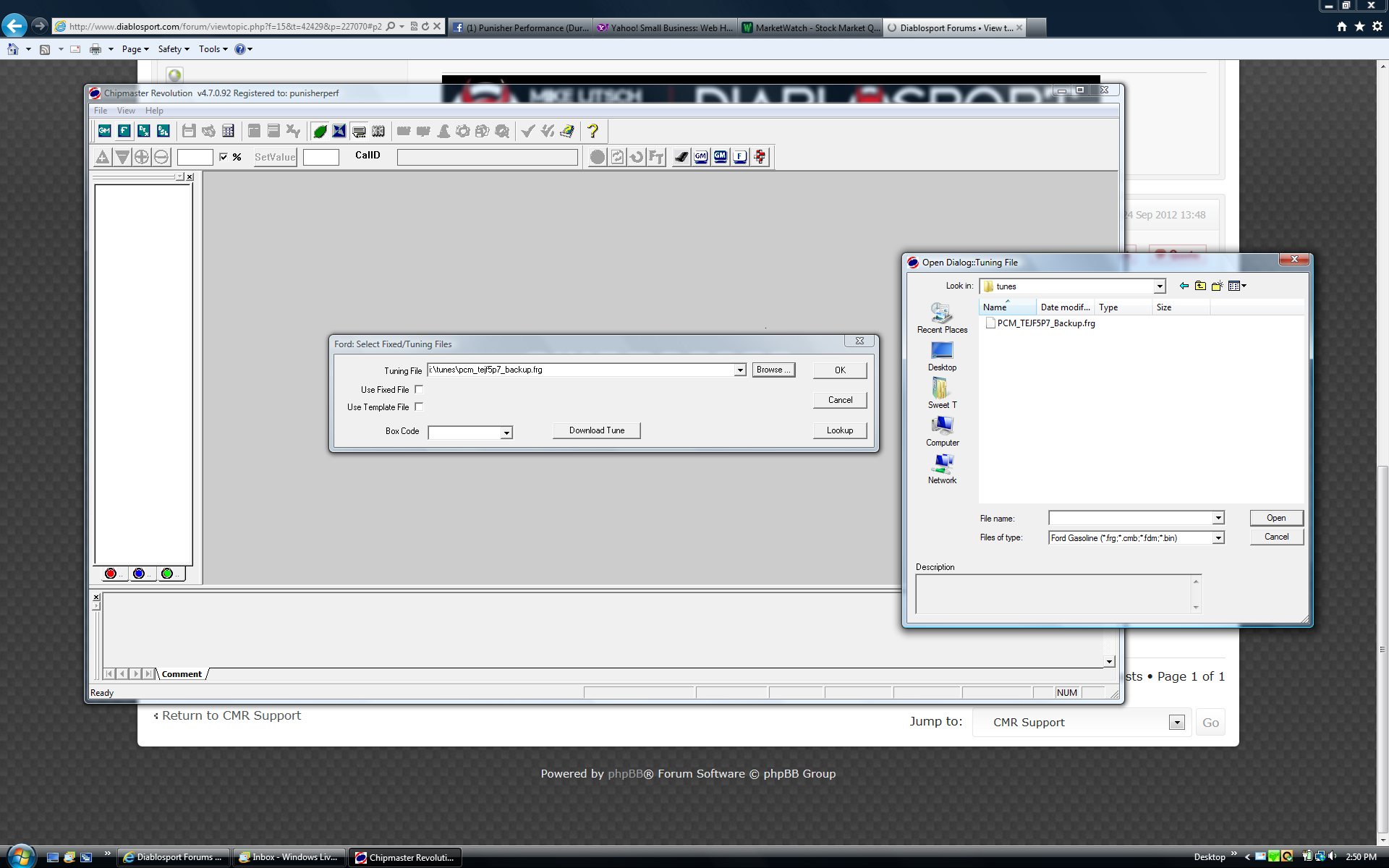
- Screen shot 1.jpg (751.67 KiB) Viewed 6897 times
Re: Accidentally deleted a file on inTune...
Posted: Mon Sep 24, 2012 4:52 pm
by mikel
the files on the inTune drive are created each time you plug the tool into a PC.
The tunes folder will always have a copy of the backup and last tune written assuming there was one.
If you delete the tune from the USB drive, simply reboot the tool, and it will reappear

Re: Accidentally deleted a file on inTune...
Posted: Mon Sep 24, 2012 4:53 pm
by mikel
the only canned tunes you can look at are whatever the 'last tune written' to the vehicle was.
Re: Accidentally deleted a file on inTune...
Posted: Mon Sep 24, 2012 9:39 pm
by punisherperf
Ah okay gotcha, I guess to reboot the USB drive I simply unplug and plug it back in? I did that and it doesn't re-appear, but no biggie I can probably just re-load it to the truck and it'll show back up...
for the purpose of learning the different ECM's, is there a way I can view stock tune files for various vehicles supported by Diablosport?
Thanks!
Re: Accidentally deleted a file on inTune...
Posted: Tue Sep 25, 2012 10:01 am
by mikel
there is an ori file folder in the chipmaster revolution folder that has all the stock files in it, but their not easy to determine what they are...
Re: Accidentally deleted a file on inTune...
Posted: Mon Oct 22, 2012 8:41 pm
by punisherperf
Okay,
I found a few stock files in the ORI folder, thanks for the help!
Does this look like it's a Power Stroke tune? Or can you tell me which stock tune this is? Thanks!
Re: Accidentally deleted a file on inTune...
Posted: Tue Oct 23, 2012 10:15 am
by mikel
thats a 7.3 tune, yes...