RE: Re: RE: Re: RE: Re: RE: Re: RE: Re: RE: Re: RE: Re: RE:
Posted: Sat Aug 23, 2008 4:20 am
I suppose I should have tried re-installing but I was too lazy. Everything works. Maybe if it gets too annoying I might try a re-install.
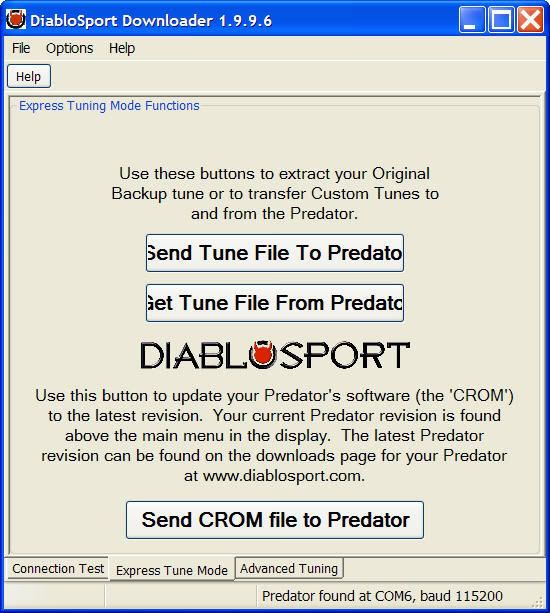
Here's what the initial screen looks like as soon as it connects to the Predator. You can grab an edge and make it larger but you can't make it smaller.

Pulling down the bottom edge exposes the button.
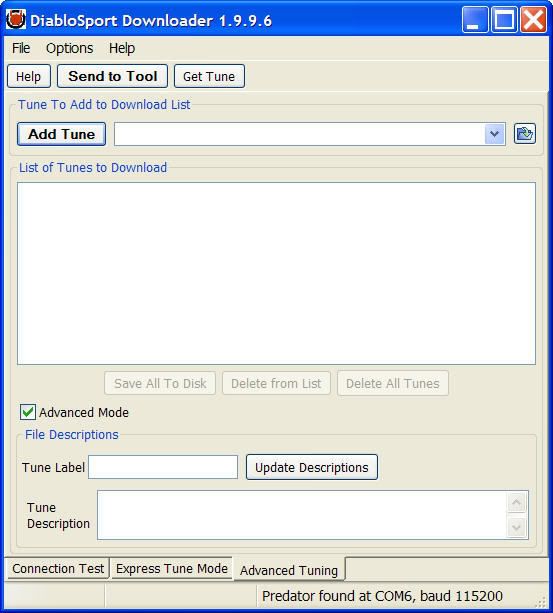
Then go to the Advanced Tuning tab. As soon as you check the Advanced Mode check box you see this.

If you grab a side edge (only tried the right side edge) and move it just 1 pixel or more you instantly get this.
Here's the .frg file. I selected the tune, added it to the list and then clicked on Save All to Disk (I named the file "Save all"). That gave me Save all.frg on disk. Then I started over and added Save all.frg to the list. That gave me this (note that Save all is a .frg and the tune is a .drg

Here's what the initial screen looks like as soon as it connects to the Predator. You can grab an edge and make it larger but you can't make it smaller.
Pulling down the bottom edge exposes the button.
Then go to the Advanced Tuning tab. As soon as you check the Advanced Mode check box you see this.
If you grab a side edge (only tried the right side edge) and move it just 1 pixel or more you instantly get this.
Here's the .frg file. I selected the tune, added it to the list and then clicked on Save All to Disk (I named the file "Save all"). That gave me Save all.frg on disk. Then I started over and added Save all.frg to the list. That gave me this (note that Save all is a .frg and the tune is a .drg